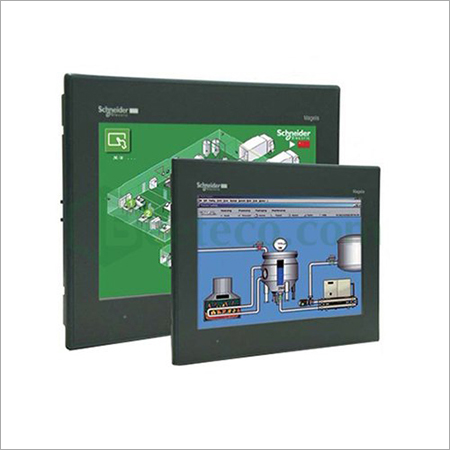
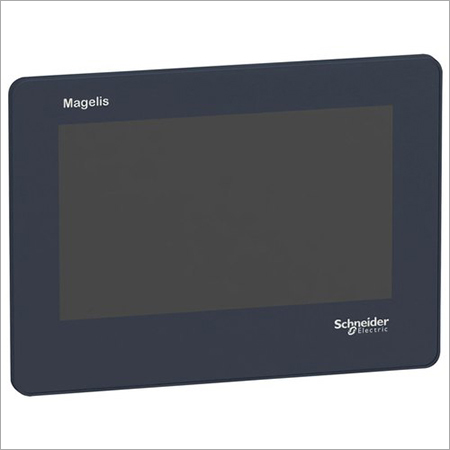
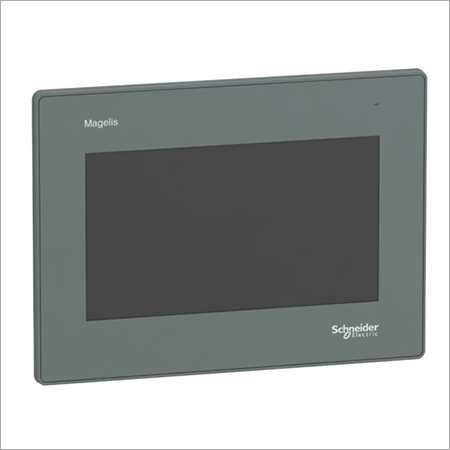
SCHNEIDER HMI 10.1 inch - HMIGXU5500 About
SPECIFICATION
| Power | 15 WATT |
| Brand | SCHNEIDER |
| Mounting Type | Panel Mount |
| Voltage | 24 VDC |
| Operating System | RTC |
| Model Name/Number | HMIGXU5500 |
| Display Type | LCD Touch |
| Screen Size | 10.1 |
| Usage/Application | Hmi For Machine Touch Panel |
| Type | Fully Automatic |
Advanced Touchscreen TechnologyBenefit from a high-resolution 10.1-inch TFT LCD with multi-touch capability, optimized for industrial control environments. This screen ensures precise and intuitive operation even in challenging conditions, providing clear visuals and reliable responsiveness for industrial applications.
Rugged and Reliable BuildHoused in a black plastic body with a matte finish, the HMIGXU5500 combines style and resilience. The device meets IP65 standards, ensuring excellent protection against dust and water ingress, making it ideal for use in harsh environments and factory settings.
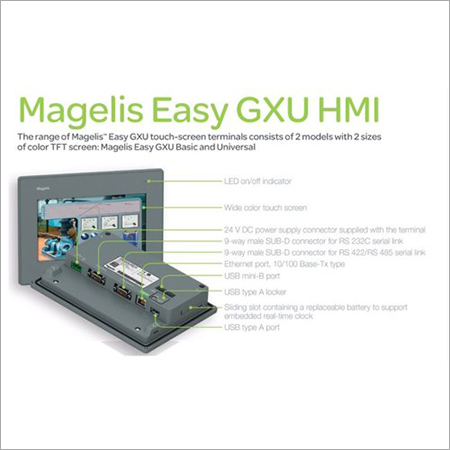
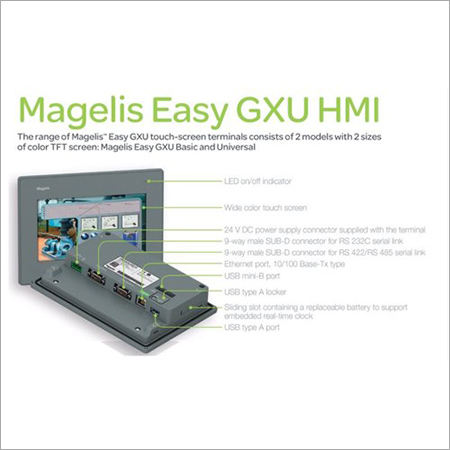
Versatile Connectivity and IntegrationWith support for Ethernet, Serial, and USB interfaces, this HMI panel allows seamless integration with a variety of PLC and SCADA control systems. It is designed for flexible deployment in diverse industrial automation scenarios, promoting interoperability and efficiency.
FAQ's of SCHNEIDER HMI 10.1 inch - HMIGXU5500:
Q: How do I install the SCHNEIDER HMI 10.1 inch - HMIGXU5500 in my industrial setup?
A: To install the HMIGXU5500, mount the touchscreen panel securely onto your control panel or designated area, ensuring adequate space for the 10.1-inch screen. Connect the device to a 24V DC power supply and establish communication via Ethernet, Serial, or USB ports as per your system requirements. Follow the IEC safety guidelines during installation for optimal performance.
Q: What are the main benefits of using an IP65-rated HMI like the HMIGXU5500?
A: An IP65 rating ensures that the panel is resistant to dust and water jets. This durability is especially valuable in industrial settings, where exposure to moisture or particulate matter is common, thus prolonging equipment life and reducing downtime due to environmental damage.
Q: When should I consider integrating this HMI with my PLC or SCADA system?
A: Integrate the HMIGXU5500 when you need robust and interactive operator interfaces for monitoring and controlling industrial processes. Its compatibility with PLC and SCADA systems allows for real-time data visualization and process management, improving overall operational efficiency.
Q: Where can I use the HMIGXU5500 HMI panel effectively?
A: This HMI panel is suitable for a wide range of industrial environments, including manufacturing, process plants, and automation hubs, given its dust- and water-resistant build and sturdy plastic housing. It excels where reliable, touchscreen-based control is essential.
Q: What is the standard process for maintaining the HMI touchscreen panel?
A: To maintain the HMIGXU5500, periodically clean the matte surface with a lint-free, slightly damp cloth to remove dust and fingerprints. Ensure that no harsh chemicals are used, and check cable connections routinely for secure attachment. Regular software updates ensure optimal performance and security.
Q: How does the multi-touch feature enhance usage in industrial applications?
A: The multi-touch functionality allows operators to use gestures such as zoom, pan, or menu navigation more efficiently, speeding up interactions and reducing training time. This enhances workflow and enables more intuitive process control on the factory floor.

 English
 Spanish
 French
 German
 Italian
 Chinese (Simplified)
 Japanese
 Korean
 Arabic
 Portuguese

 Send Inquiry



 Send Inquiry
 Send Inquiry
 Send SMS
 Call Me Free

